
Product stills
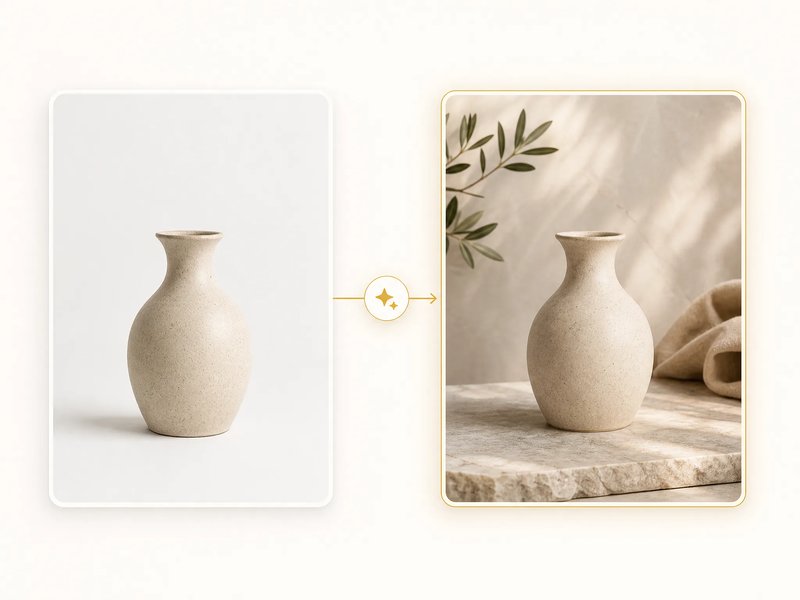
You have one pack shot and need a cleaner scene. Upload the photo, describe the setting, and review whether the product stays readable.
Generate from a prompt, or upload a photo and describe the change.
Production preview
It is how people name the next image model after Nano Banana 2. Some posts also write 2.5 Flash. Use it to generate a still from a sentence, or to edit a photo you already have. Switch the picker to Nano Banana 2 Lite, Nano Banana Pro, or original Nano Banana when that tier fits the job.
The original Nano Banana is also documented as Gemini 2.5 Flash Image. That "2.5" is the Gemini version on the first family model. It is not the later name in the headline. If you want the original model, pick Nano Banana in the board. If you searched the later name, keep this generator.
Type a scene, or upload a photo and say what should change.
Type the scene you want — a product setup, a portrait, a poster frame. Check the first still before you switch tier or run it again.

Upload the still, describe the one change, and review whether the subject holds. The photo path sits in the same board as the prompt path.
Start with the sentence or photo you already have.
Type what you want to see, or upload a photo when you want to edit one you already have.
Keep this model, or switch to Lite, Pro, or original Nano Banana if that tier fits.
Run the generation, then check the subject, composition, and details before you keep the result.
Save the image, or send it through again with a tighter prompt or a new source photo.
Product stills, portraits, campaign frames, and illustration directions.
You have one pack shot and need a cleaner scene. Upload the photo, describe the setting, and review whether the product stays readable.
You need another look at the same person or character. Start from a prompt, or from a reference photo, and check the face.
You want a first poster or lifestyle frame from a sentence. Draft here, then switch to Nano Banana Pro in the picker when the composition is complex.
You want two or three style takes before you commit. Lite is a lower-cost 1K pass when you want several drafts.
It is the next image model in Google's Nano Banana family. Super Banana Pro is the generator for that search. Write a prompt, or upload a photo and describe the change.
No. Gemini 2.5 Flash Image is the documented name for original Nano Banana. The later family name is the one in the headline.
Yes. Upload a photo, describe the change, and review the new version. Both paths sit in the same board.
Yes. Switch the picker to Nano Banana 2 Lite, Nano Banana Pro, or original Nano Banana when that tier fits.
Super Banana Pro plans sell credits. Cost depends on the model and resolution you pick.
Pick a plan, then generate or edit on this board.
Enjoy Limited-Time 30% OFF!
Write a prompt, or upload a photo and describe the change.